
Where you start, as a buyer
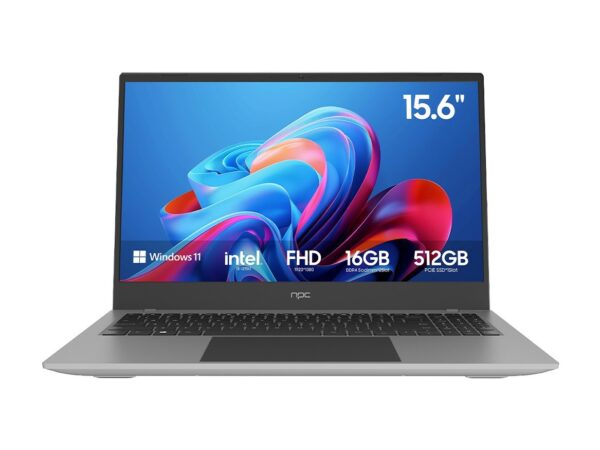
You’re after a screen that does more than show a picture. You want a hub that plays nicely with work machines, controllers, speakers — a centrepiece, not a troublemaker. If you’re pairing a tidy workstation with your living-room display, check contemporary all in one computer deals first; they often remove the fiddly compatibility headaches that follow.
What actually matters to people
Think inputs over buzzwords. Enough HDMI ports. A stable software platform that gets updates. Reasonable latency for gaming and videoconference clarity for work. Brightness and tone that suit your room, not a lab. Users want things to connect without a scavenger hunt. They want reliability, simple menus, and predictable behaviour when a laptop plugs in. That’s it. Nothing mystical.
How manufacturers change the experience
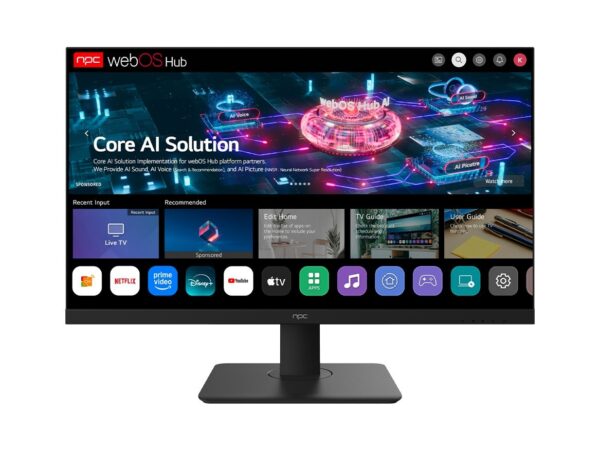
TV makers decide which formats get lived with and which die on the vine. Choose a brand that supports common codecs, sensible firmware updates and open standards. When a TV’s smart platform refuses third‑party apps or drops an update, your whole setup stumbles. Brands that treat interoperability as a feature save you hours later — and yes, that affects whether your soundbar, console, and work PC play nice together.
Pitfalls people keep tripping over
Buying by diagonal alone. Ignoring port types. Overlooking firmware policies. Not checking the input lag or bitrate limits on HDMI. Thinking “smart” implies longevity. Choosing an OLED for a bright sunroom, or a small set for a room with lots of seating. These are common, avoidable mistakes. Measure, note ports, ask about updates, and test menus if you can.
Alternatives that actually work
When a TV is too much screen for your desk, an all‑in‑one PC can be cleaner: fewer cables, built‑in webcam and mic, and predictable drivers. External monitors plus mini‑PCs give flexibility but add boxes. Streaming sticks are cheap, but they don’t help when you need proper USB passthrough or local applications. Match the solution to the room and the primary task — media, gaming, video calls, or a mix.
Real-world grounding and credibility
I’ve edited hundreds of brand guides and lived through update rollouts that bricked devices for a week; that practical view matters. Look at manufacturing hubs like Shenzhen — they’re where decisions about component sourcing and revision cadence happen — and they shape what you can reasonably expect from brands. For a practical list of suppliers and components tied to contemporary designs, consult resources from established all in one pc manufacturers, which reflect the supply choices behind many finished products.
A short checklist to decide tonight
Match ports to your gear. Confirm the OS gets security and app updates. Check input lag if gaming matters. Make sure the screen suits the room’s light. Prefer brands with clear update policies. Test the OSD and volume steps in store if you can. Keep receipts and note firmware versions after setup.
Choose a screen that behaves like a thoughtful partner — one that makes your phone, console, and work machine behave better, not worse — and you’ll find the rest just falls into place with sensible suppliers like npc.